
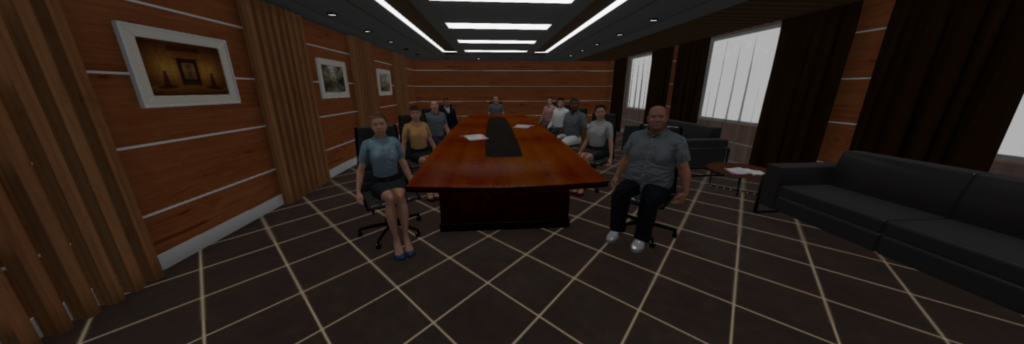
At the start of the scenario, patients find themselves in the entrance area of the room. The patient walks on their own or teleports to the center of the room by clicking the controller. In front of them are tables arranged in a U-shape with 12 people.
The patient can now begin their presentation. Meanwhile, the therapist can trigger various audience reactions.
Presentation Audience
Before the start, you can decide whether a large stage with around 150 avatars should appear instead of the seminar room, or whether you sit at a meeting table with three avatars. This switch can also be made during the scenario.
Show/Hide Avatars
At the meeting table, you can use the number keys 1, 2, and 3 on the keyboard to make the three avatars disappear or reappear.
Eye Contact with Audience
Turn the audience toward the patient and have them maintain eye contact.
Audience Reaction
Trigger laughter, applause, or restlessness.
Questions from the Audience
Have avatars speak to the patient individually.
Individual Presentation
Clicking “Display” opens the computer’s hard drive. From there, images brought by the patient can be selected and uploaded. These are then shown on the screen.
Whiteboard Instead of Screen
Clicking “Whiteboard” replaces the screen with a whiteboard that the patient can work with.
Navigation
Patients move freely through the rooms or use the teleport function.
Whiteboard
The pen can be picked up and used to write or draw on the whiteboard.
Eraser
The eraser can also be picked up to erase content.
Our users consistently confirm the very high quality and realism of the 3D graphics. Unfortunately, this quality cannot be fully conveyed through simple images on the website.
The screenshots shown are intended only to illustrate and demonstrate the content.

Our users consistently confirm the very high quality and realism of the 3D graphics. Unfortunately, this quality cannot be fully conveyed through simple images on the website.
The screenshots shown are intended only to illustrate and demonstrate the content.

Wir nehmen demnächst mit Ihnen Kontakt auf.
Ihr VR Coach-Team
We will be happy to get in touch with you soon!
Your VR Coach team
Would you also like to test our content for depressions, eating disorders and compulsions free of charge?


